

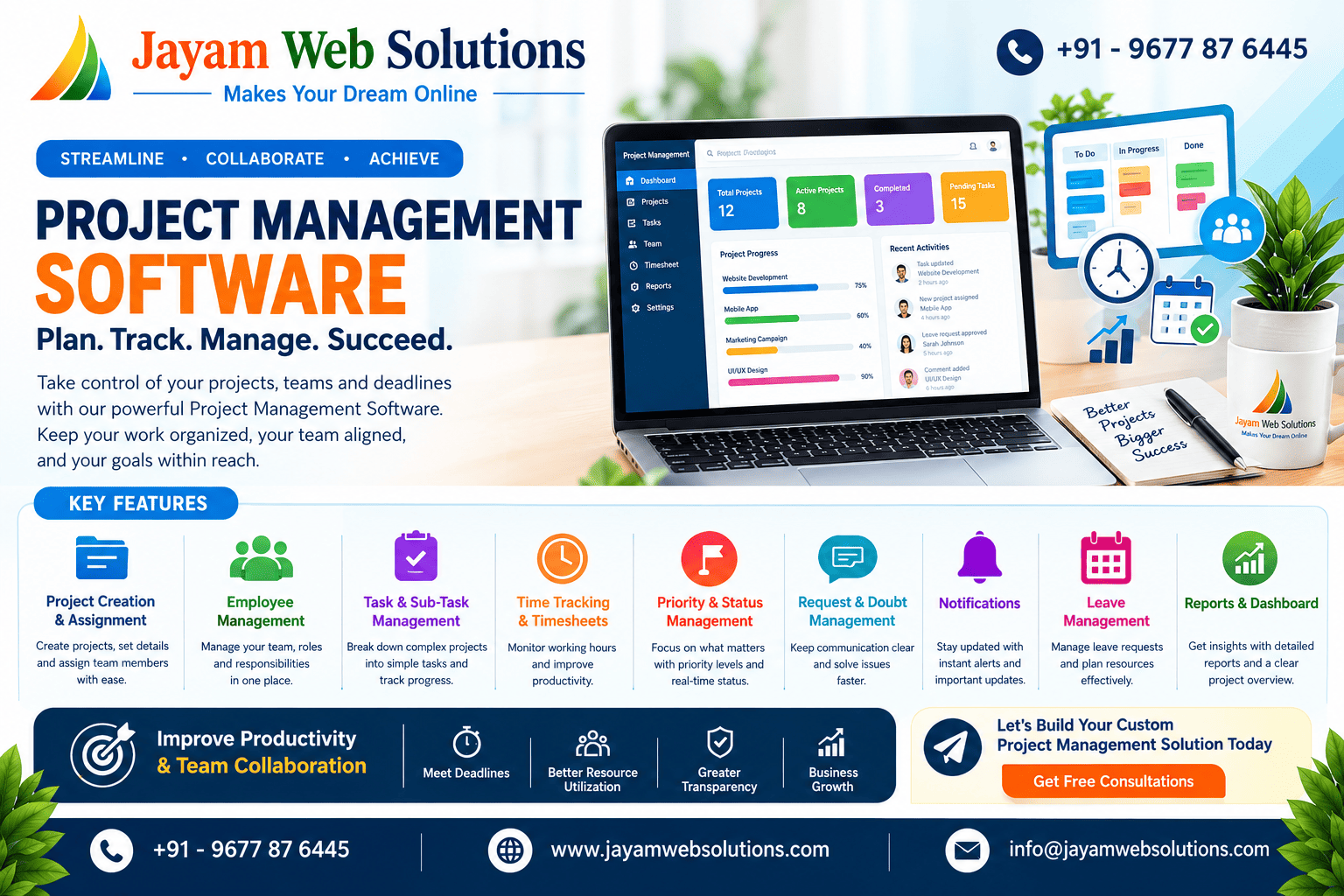
Project Management Software: Features, Benefits, Workflow & Why Businesses Need It in 2026
Introduction
Managing multiple projects, employees, tasks, deadlines, and client requirements can become challenging as a business grows. Using spreadsheets, emails, chat applications, and manual tracking methods may work for small projects, but they can create confusion when teams handle several projects simultaneously.
This is where Project Management Software becomes valuable. A modern project management system helps businesses organize projects, assign tasks, monitor employee progress, track working hours, manage priorities, and maintain communication from a centralized platform.
In 2026, businesses increasingly depend on digital project management solutions to improve productivity, reduce manual work, and maintain better control over their daily operations. Whether it is a software development company, marketing agency, construction company, service business, or enterprise organization, a well-designed project management system can simplify complex workflows.
What Is Project Management Software?
Project Management Software is a digital platform designed to help businesses plan, organize, assign, monitor, and complete projects efficiently.
Instead of managing project information across multiple applications, teams can use one centralized system to manage important project-related activities.
A typical project management system can include:
- Project creation and management
- Employee management
- Task and sub-task assignment
- Project priority management
- Time tracking
- Status management
- Employee timesheets
- Notifications
- Requests and doubts
- Leave management
- Reports and dashboards
- File and document management
- Team communication
By bringing these activities together, businesses can improve visibility and ensure that everyone understands their responsibilities.
Why Do Businesses Need a Project Management System?
As organizations grow, managing projects manually becomes increasingly difficult. Managers may need to monitor several employees working on different projects while also tracking deadlines, priorities, and client requirements.
A project management system provides a centralized view of this information.
1. Centralized Project Information
All important project information can be maintained in one place. Managers can view project details, assigned employees, tasks, deadlines, progress, and updates without searching through multiple tools.
2. Better Task Assignment
Managers can assign specific tasks and sub-tasks to employees based on their responsibilities and availability.
Employees can easily understand:
- What task they need to complete
- Which project the task belongs to
- Task priority
- Expected completion time
- Current task status
This creates a clear workflow for both managers and employees.
3. Improved Productivity
When employees have clear responsibilities and deadlines, they can focus better on their assigned work. Managers can also identify delayed tasks and take corrective action quickly.
4. Better Project Visibility
A centralized dashboard can provide an overview of active, completed, paused, and pending projects.
Managers can quickly understand which projects require attention without manually checking every employee.
5. Efficient Time Tracking
Time tracking is an important feature for businesses that need to understand how much time employees spend on projects and tasks.
A timesheet module can record:
- Start time
- End time
- Total working hours
- Project
- Task
- Employee
- Date
This information can also help businesses understand project effort and improve future planning.
Essential Features of Project Management Software
A powerful project management system should provide features that support the complete project lifecycle.
Project Creation and Management
Administrators can create projects by adding important information such as:
- Project name
- Client details
- Start date
- Due date
- Priority
- Project description
- Assigned employees
- Project status
This provides a structured foundation for managing the project.
Employee Management
An employee management module allows administrators to add and manage team members.
Managers can assign employees to projects and monitor their work activities from the same platform.
Employee profiles can contain relevant information such as their role, assigned projects, tasks, timesheets, and leave requests.
Task and Sub-Task Management
Large projects can be divided into modules, tasks, and sub-tasks.
For example:
Project → Module → Task → Sub-Task
This structure makes complicated projects easier to manage.
Employees can update their assigned tasks as:
- Not Started
- In Progress
- Completed
- Paused
This allows managers to understand the current progress of each activity.
Priority Management
Not every task has the same level of importance.
A project management system can provide priority levels such as:
- High Priority
- Medium Priority
- Low Priority
When a high-priority project or task requires immediate attention, managers can ensure that employees focus on the most important work first.
Time Tracking and Timesheets
Time tracking allows businesses to monitor the amount of time spent on individual projects and tasks.
This is especially useful for companies that provide development, design, consulting, marketing, or other time-based services.
Managers can use timesheet information to identify productivity patterns and improve project estimation.
Project Status Tracking
Project status provides a quick understanding of the current stage of a project.
Common statuses include:
- Not Started
- In Progress
- Completed
- Paused
- On Hold
A dashboard can display these statuses visually so that managers can quickly identify projects that need attention.
Request and Doubt Management
Employees may have questions or require clarification while working on a project.
A request and doubt management feature allows employees to raise questions within the relevant project.
Managers can then review, respond to, and track those requests without depending entirely on external communication channels.
Notifications
Notifications help team members stay updated about important activities.
For example, employees can receive notifications when:
- A project is assigned
- A task is assigned
- A task is updated
- A module is completed
- A manager responds to a request
- A deadline is approaching
- A project priority changes
This reduces the possibility of missing important updates.
Leave Management
A project management system can also include employee leave management.
Employees can submit leave requests, while administrators or managers can approve or reject them.
This information can help managers plan project assignments according to employee availability.
Dashboard and Reports
A centralized dashboard gives managers a quick overview of business activities.
Important dashboard information can include:
- Total projects
- Active projects
- Completed projects
- Pending tasks
- High-priority projects
- Employee workload
- Time logged
- Leave requests
- Recent project updates
Reports can provide deeper insights into project performance and employee productivity.
How Does a Project Management Workflow Work?
A well-designed project management workflow should be simple and easy to follow.
Step 1: Create the Project
The administrator creates a project and enters the required project details.
Step 2: Assign Employees
Employees are assigned based on their role, skills, workload, and project requirements.
Step 3: Create Modules and Tasks
The project is divided into manageable modules, tasks, and sub-tasks.
Step 4: Assign Tasks
Individual tasks are assigned to the appropriate employees.
Step 5: Track Progress
Employees update their task status as they work.
Managers can monitor the progress from the project dashboard.
Step 6: Track Working Hours
Employees record their working time through the timesheet or time tracking module.
Step 7: Manage Requests and Doubts
If employees require clarification, they can submit requests or doubts against the relevant project.
Step 8: Complete the Project
Once all required modules and tasks are completed, the project can be marked as completed.
This structured workflow creates transparency between managers and employees.
Admin Features vs Employee Features
A project management system should provide different access levels based on user roles.
Admin Features
Administrators may have access to:
- Create and manage projects
- Add employees
- Assign projects
- Create modules and tasks
- Set priorities
- Monitor timesheets
- Manage leave requests
- View project updates
- Manage employee activities
- Generate reports
- Configure system settings
Employee Features
Employees can typically:
- View assigned projects
- View assigned tasks
- Update task status
- Record working hours
- Submit requests and doubts
- View notifications
- Submit leave requests
- Update profile information
Role-based access ensures that users only access the information and functions relevant to their responsibilities.
Benefits of Custom Project Management Software
Every business has a different workflow. Standard project management applications may provide general features, but they may not always match the exact requirements of a business.
Custom project management software can be developed around a company's specific workflow.
Flexible Workflow
Businesses can define their own project, task, approval, and employee workflows.
Custom User Roles
Different access permissions can be created for administrators, managers, employees, clients, or other users.
Business-Specific Features
Companies can include features that are unique to their operations instead of adjusting their processes to fit a generic tool.
Better Integration
Custom systems can integrate with other business applications such as:
- CRM systems
- Accounting software
- Email services
- Payment gateways
- HR systems
- Communication tools
- Reporting platforms
Scalability
As the business grows, new modules and features can be added to the system.
This makes custom project management software a long-term solution for organizations with evolving requirements.
Project Management Software for Web Development Companies
Web development companies often manage multiple client projects simultaneously. Each project may contain several stages, including planning, UI/UX design, frontend development, backend development, testing, bug fixing, deployment, and maintenance.
A project management system can help development teams organize these activities.
For example:
Client Project → Website Module → Development Task → Testing → Bug Fixing → Completion
Developers can update their task status while project coordinators or managers monitor the overall progress.
This provides better transparency and reduces the need for manual status collection.
How Project Management Software Improves Team Collaboration
Effective collaboration is one of the major advantages of using project management software.
Instead of relying only on emails or messaging applications, employees can communicate within the context of the project.
Project-related updates can be connected to the appropriate project, task, or module.
This makes it easier to understand:
- Who is working on the task
- What has been completed
- What is currently in progress
- What issues are pending
- What needs to be done next
As a result, teams can collaborate more efficiently.
How to Choose the Right Project Management System
Before selecting or developing project management software, businesses should evaluate their requirements carefully.
Consider the following factors:
Ease of Use
The software should have a simple and user-friendly interface so employees can adopt it quickly.
Required Features
Identify the modules your business actually needs, such as task management, time tracking, reports, notifications, and employee management.
Security
Project and employee information should be protected through proper authentication, permissions, backups, and security practices