

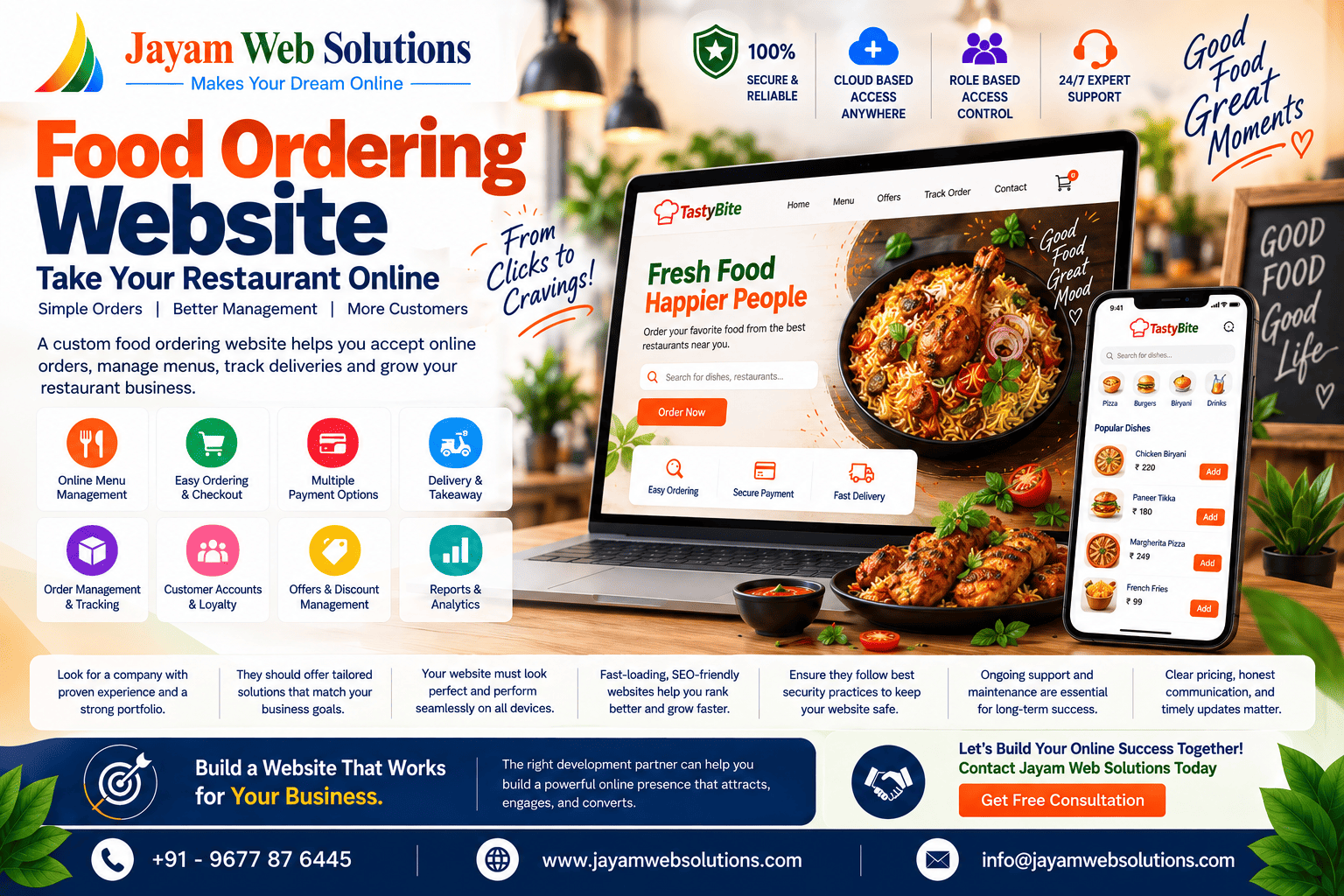
Food Ordering Website: How It Helps Restaurants Grow Online
The way customers order food has changed significantly. Instead of visiting a restaurant or making a phone call, customers increasingly prefer to browse menus, select their favorite dishes, choose delivery or takeaway, and complete their orders online.
For restaurants, cafés, hotels, cloud kitchens, and food businesses, having a food ordering website can provide a direct digital channel for accepting and managing customer orders.
A modern online food ordering website is more than a digital menu. It can connect customers, restaurant staff, kitchen operations, payments, delivery, and order management through one centralized platform.
With the right features and user-friendly design, a food ordering website can help restaurants improve ordering efficiency, provide a better customer experience, reduce manual work, and build a stronger online presence.
What Is a Food Ordering Website?
A food ordering website is an online platform that allows customers to view a restaurant's menu and place food orders through a website.
Customers can typically:
- Browse food categories
- View menu items
- Check prices
- Customize selected dishes
- Add items to a cart
- Select delivery or takeaway
- Enter delivery details
- Choose a payment method
- Place orders
- Track order status
- View previous orders
On the restaurant side, staff can manage menus, orders, customers, payments, delivery information, and reports through an administrative panel.
This creates a complete digital ordering workflow between the customer and the restaurant.
Why Do Restaurants Need a Food Ordering Website?
Restaurants already have multiple ways to receive orders, including phone calls, social media, messaging platforms, and third-party food delivery services.
However, depending completely on external platforms may limit control over the customer ordering experience and business data.
A dedicated online food ordering website gives restaurants their own digital ordering channel.
Customers can directly visit the restaurant's website, explore the menu, and place orders without relying entirely on third-party ordering platforms.
This can help restaurants establish a stronger direct relationship with their customers.
Benefits of a Food Ordering Website
1. Accept Orders 24/7
A website can remain available to customers throughout the day.
Customers can browse the menu and place orders according to the restaurant's operating hours and configured ordering settings.
This provides a convenient ordering experience without requiring staff to manually answer every enquiry.
2. Improve Customer Convenience
Customers expect simple and fast digital experiences.
A well-designed food ordering website can allow users to complete an order in a few steps:
Browse Menu → Select Food → Customize → Cart → Payment → Order Confirmation
A simple ordering process can make it easier for customers to complete purchases.
3. Reduce Manual Order Taking
Traditional phone-based ordering requires staff to listen to customer requirements and manually enter order details.
This can sometimes result in:
- Incorrect items
- Incorrect quantities
- Misheard instructions
- Wrong addresses
- Calculation mistakes
A digital ordering system allows customers to enter their own order information, reducing unnecessary manual data entry.
4. Centralized Order Management
A food ordering web application can provide a centralized dashboard for managing orders.
Restaurant staff can view information such as:
- New orders
- Confirmed orders
- Preparing orders
- Ready orders
- Out-for-delivery orders
- Completed orders
- Cancelled orders
This makes it easier for staff to monitor the complete order lifecycle.
Important Features of a Food Ordering Website
A successful food ordering website should provide useful features for both customers and restaurant staff.
Online Menu Management
Restaurants should be able to create and manage categories such as:
- Starters
- Main Course
- Rice & Biryani
- Fast Food
- Desserts
- Beverages
- Combos
Each menu item can include:
- Name
- Image
- Description
- Price
- Category
- Availability
- Variations
- Add-ons
Restaurants should also be able to mark items as temporarily unavailable without removing them from the menu.
Shopping Cart
Customers should be able to add multiple products to their cart and modify quantities before placing an order.
The cart can display:
- Selected items
- Quantity
- Item price
- Add-ons
- Discounts
- Delivery charges
- Taxes
- Final total
Food Customization
Different customers may have different preferences.
A food ordering website can allow customers to customize their orders.
For example:
- Extra cheese
- Less spicy
- Additional toppings
- No onion
- No garlic
- Extra sauce
This can make the ordering experience more flexible.
Delivery and Takeaway Options
The system can provide different fulfilment options.
Delivery
Customers enter their delivery address and select the available delivery option.
Takeaway
Customers can place an order online and collect it from the restaurant.
This is especially useful for restaurants serving customers who prefer quick pickup.
Online Payments
A food ordering website can integrate supported payment gateways to allow customers to pay online.
Depending on the business requirements, payment options may include:
- Credit cards
- Debit cards
- UPI
- Net banking
- Digital wallets
- Other supported payment methods
Cash-on-delivery or pay-at-counter options can also be configured when appropriate.
Order Tracking
Customers want to know what is happening after placing an order.
A food ordering system can display order progress such as:
Order Placed → Confirmed → Preparing → Ready → Out for Delivery → Delivered
This gives customers better visibility and can reduce the need for repeated phone calls asking about order status.
Restaurant Admin Panel
A professional food ordering website should include an administrative dashboard.
Restaurant administrators can manage:
- Orders
- Menu
- Categories
- Customers
- Payments
- Discounts
- Delivery settings
- Restaurant timings
- Offers
- Reports
- Staff accounts
The admin panel becomes the central control system for the online ordering operation.
Customer Management
A food ordering website can maintain customer information and order history.
Depending on the system design, restaurants can access:
- Customer profiles
- Contact information
- Previous orders
- Frequently ordered items
- Order values
- Delivery addresses
- Customer activity
This information can help businesses understand customer purchasing patterns and improve their service.
Offers and Discounts
Restaurants can use the website to create promotional campaigns.
Examples include:
- Percentage discounts
- Fixed-value discounts
- First-order offers
- Combo offers
- Minimum-order discounts
- Festival promotions
- Coupon codes
A flexible discount system can help restaurants run different campaigns without changing the entire website.
Multi-Branch Food Ordering Website
Businesses operating multiple restaurant branches may require a centralized system.
A multi-branch food ordering platform can allow customers to select a location and place an order with the appropriate branch.
The system can manage:
- Branch information
- Branch-specific menus
- Pricing
- Orders
- Staff
- Delivery areas
- Reports
This makes the platform suitable for growing restaurant chains.
Food Ordering Website for Cloud Kitchens
Cloud kitchens can also benefit significantly from an online ordering platform.
Since cloud kitchens primarily operate through food orders and delivery, a customized ordering system can help manage:
- Online menu
- Customer orders
- Kitchen workflow
- Delivery information
- Payments
- Promotions
- Order history
A custom system can be designed around the specific operational model of the cloud kitchen.
How a Custom Food Ordering Website Works
A typical ordering workflow can look like this:
Step 1: Customer Visits Website
The customer opens the restaurant's website.
Step 2: Browses Menu
The customer explores categories and available dishes.
Step 3: Selects Food
Items are added to the cart with required customizations.
Step 4: Checkout
The customer enters delivery or pickup information.
Step 5: Payment
The customer selects an available payment method.
Step 6: Restaurant Receives Order
The order appears in the restaurant's admin or order management dashboard.
Step 7: Kitchen Preparation
The kitchen receives the order and begins preparation.
Step 8: Delivery or Pickup
The order is delivered or made ready for customer collection.
Step 9: Order Completion
The system updates the order status and stores the transaction information.
SEO Benefits of Having a Food Ordering Website
A restaurant's website can also support its digital marketing strategy.
A properly optimized website can target searches related to:
- Restaurant name
- Food type
- Location
- Menu items
- Online food ordering
- Food delivery
- Takeaway
- Restaurant services
For example, a restaurant can create optimized pages for relevant food categories and locations.
Technical SEO, mobile responsiveness, page speed, structured content, local SEO, and useful menu information can all contribute to a stronger online presence.
Mobile-Friendly Food Ordering Experience
A large portion of online browsing takes place on smartphones.
Therefore, a food ordering website should be designed with mobile users in mind.
The mobile experience should make it easy to:
- Browse menus
- View food images
- Add items
- Customize orders
- Enter addresses
- Make payments
- Track orders
A responsive design ensures that the website works effectively across smartphones, tablets, laptops, and desktop computers.
Security Considerations
Food ordering websites can handle customer information and payment-related data, so security should be considered during development.
Important areas include:
- Secure login
- Role-based access
- HTTPS
- Secure payment gateway integration
- Input validation
- Data protection
- Regular backups
- Secure API communication
- Admin access controls
Third-party payment providers should also be selected and integrated according to applicable security requirements.
How Much Does Food Ordering Website Development Cost?
The cost of developing a food ordering website depends on the features and complexity of the platform.
A basic system may include:
- Online menu
- Cart
- Checkout
- Order management
- Admin panel
An advanced platform may include:
- Multiple branches
- Delivery management
- Customer accounts
- Online payments
- Coupons
- Loyalty programs
- Real-time order tracking
- Kitchen management
- Analytics
- POS integration
- Inventory integration
- CRM integration
- Mobile applications
Therefore, businesses should define their required workflow and features before estimating the development cost.
How to Choose a Food Ordering Website Development Company
Before hiring a development company, consider:
Technical Experience
Check whether the development team has experience building web applications and ordering platforms.
Customization
Ensure the company can build features according to your business workflow rather than providing only a fixed template.
User Experience
The ordering process should be simple, fast, and intuitive.
Security
Ask about authentication, data protection, payment integration, backups, and access controls.
Scalability
The system should be capable of supporting additional users, branches, products, and features as the business grows.
Support and Maintenance
A long-term support plan can help businesses address technical issues, updates, security requirements, and future improvements.
Future of Online Food Ordering
Food ordering is becoming increasingly connected with broader restaurant technology.
Future-focused systems can combine:
Online Ordering + POS + Kitchen Management + Inventory + Payments + CRM + Analytics
Businesses can use this connected approach to reduce duplicate data entry and improve operational visibility.
AI-based recommendations, automated customer communication, personalized offers, digital loyalty programs, and intelligent analytics can also become part of advanced food ordering platforms.
The goal is not simply to accept online orders but to create a complete digital ecosystem for restaurant operations.
Conclusion
A food ordering website can provide restaurants with a direct and convenient way to accept online orders while improving menu management, customer experience, payment processing, and order tracking.
From independent restaurants and cafés to cloud kitchens and multi-branch food businesses, a custom online ordering system can be designed according to the specific requirements of each business.
The right solution should go beyond simply displaying a digital menu. It should connect customers, orders, payments, kitchen operations, delivery, and business management into an efficient workflow.
At Jayam Web Solutions, we develop customized food ordering websites and web applications for restaurants, hotels, cafés, cloud kitchens, and other food businesses. Solutions can include online menu management, ordering, cart and checkout, payment integration, order tracking, customer management, admin dashboards, reports, and integrations with other business systems.
Build a better ordering experience. Simplify restaurant operations. Grow your food business online.
Visit us at www.jayamwebsolutions.com to get started!
Kindly Reach us / Call us +91 9677876445