

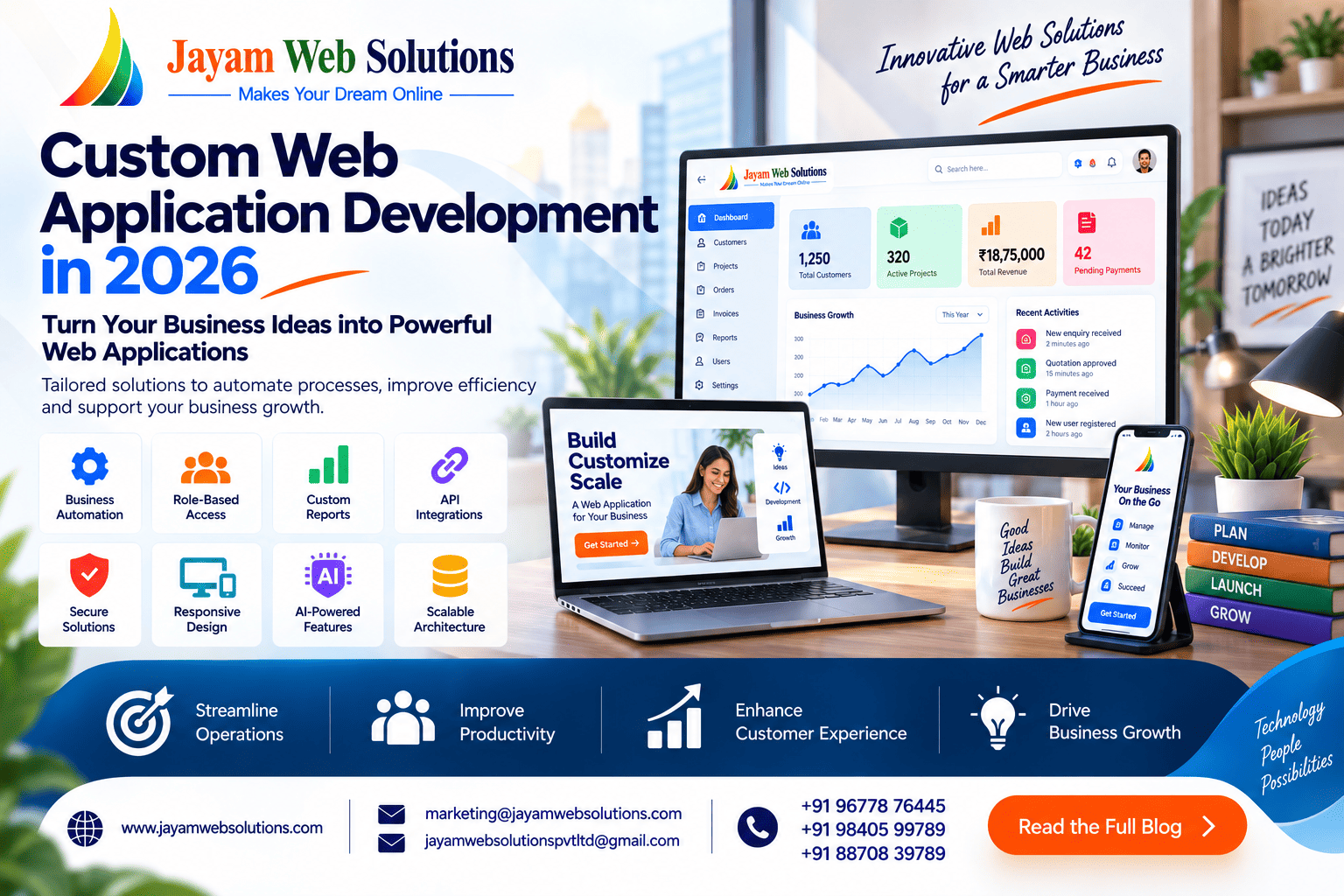
Custom Web Application Development in 2026: Features, Benefits & Business Use Cases
Businesses have different processes, customer requirements and operational challenges. A software solution that works well for one company may not necessarily suit another. This is where custom web application development becomes valuable.
Instead of adjusting business operations to fit a pre-built application, a custom web application can be designed around the way an organization actually works. From managing quotations and invoices to handling customers, employees, bookings, inventory or online transactions, the application can bring relevant activities together within one system.
As businesses increasingly depend on digital workflows, custom web applications are becoming an important option for organizations looking to improve efficiency, automate repetitive activities and create better control over their operations.
What Is Custom Web Application Development?
Custom web application development is the process of creating a browser-based software solution specifically for a particular business, organization or business model.
Unlike generic software, the application is planned according to the company's workflows, user roles, data requirements and operational objectives.
For example, a business may require an application that allows:
- Customers to submit enquiries
- Staff to prepare quotations
- Managers to approve quotations
- Accounts teams to generate invoices
- Customers to make online payments
- Administrators to monitor transactions
- Management to view reports
Instead of handling each activity through separate tools, these functions can be connected within a single web application.
Why Businesses Consider Custom Web Applications
Every organization has its own way of handling day-to-day operations. Spreadsheets, emails and multiple independent applications may work during the early stages of a business, but managing growing volumes of information through disconnected tools can become increasingly difficult.
A custom web application provides an opportunity to structure these activities around a defined workflow.
It can help businesses:
- Reduce repetitive data entry
- Organize information in one place
- Automate routine activities
- Define responsibilities for different users
- Monitor business operations
- Generate company-specific reports
- Connect different software systems
- Support changing business requirements
The objective is not simply to create another software application. The application should solve a specific operational problem or support a clearly defined business process.
Key Features of a Custom Web Application
The functionality of a custom web application depends on the project requirements. However, several features are commonly incorporated into business applications.
1. Customized Dashboard
A dashboard can provide users with a quick overview of the information relevant to their responsibilities.
For example, an administrator may see:
- Total customers
- New enquiries
- Pending quotations
- Approved orders
- Outstanding payments
- Recent transactions
- Operational reports
Different users can receive different dashboard views based on their roles.
2. Role-Based User Access
Not every employee needs access to every part of an application.
A custom system can assign permissions according to the user's responsibility. An administrator, manager, employee, customer and accounts user can each have their own access levels.
This helps organizations control which information and functions are available to different users.
3. Business Process Automation
Repetitive tasks can consume considerable employee time when handled manually.
A custom application can automate selected activities based on predefined conditions.
For example, submitting a quotation could automatically create a notification for the concerned manager. Once approved, the system could move the quotation to the next stage of the workflow.
This creates a more structured process and reduces unnecessary manual intervention.
4. Customized Reports and Analytics
Different businesses need different information to evaluate their operations.
A custom application can generate reports based on the organization's specific requirements. Users may be able to filter information by date, customer, employee, product, transaction status or other relevant parameters.
Reports can also be presented through dashboards, charts or downloadable formats where required.
5. API and Third-Party Integration
A business application may need to exchange information with other services.
For example, the system could connect with:
- Payment gateways
- Email services
- SMS platforms
- Accounting systems
- Shipping services
- Verification APIs
- Maps and location services
- CRM platforms
- External business systems
API integration allows the application to communicate with these services without requiring users to repeatedly transfer information manually.
6. Online Payment Management
For applications that involve online transactions, payment functionality can be incorporated into the workflow.
The system can maintain relevant information such as payment status, transaction reference, invoice details and outstanding amounts.
Depending on the business requirement, this may include:
- Online payment collection
- Payment status updates
- Invoice generation
- Receipt management
- Transaction history
- Outstanding payment tracking
7. Automated Notifications
Important events can trigger notifications within the application.
For example, the system can send an email or notification when:
- A new enquiry is received
- A quotation is created
- Approval is required
- An invoice is generated
- A payment is completed
- A subscription is approaching renewal
- A task is assigned to an employee
This reduces the need for employees to manually track every activity.
8. AI-Powered Capabilities
Artificial intelligence can be introduced into a custom application when it provides a practical benefit to the business.
Depending on the use case, AI can assist with:
- Generating content
- Summarizing information
- Classifying enquiries
- Searching business data
- Answering routine customer questions
- Identifying patterns in data
- Assisting employees with repetitive tasks
AI should be incorporated according to the actual business objective rather than simply being added as a technology feature.
9. Responsive User Interface
Users may access an application from different devices and locations.
The interface can therefore be structured to work effectively across:
- Desktop computers
- Laptops
- Tablets
- Smartphones
For example, office employees may primarily use desktop computers, while sales teams or field staff may depend more heavily on mobile devices.
A responsive interface allows important functions to remain accessible across these different environments.
10. Scalable Architecture
A business application may start with a limited number of users and gradually expand.
The underlying architecture can therefore be planned with future growth in mind. Additional users, modules, integrations and data volumes can be accommodated as the application evolves.
11. Security and Access Control
Business applications may contain customer details, financial information, employee records or confidential operational data.
Security can be addressed through appropriate measures such as:
- User authentication
- Role-based permissions
- Secure data transmission
- Access restrictions
- Activity tracking
- Password protection
- Data validation
- Regular backups
The appropriate security controls depend on the type of information handled by the application.
Benefits of Custom Web Application Development
Designed Around Actual Business Requirements
A custom application can be structured around the organization's existing processes rather than forcing employees to follow a fixed workflow.
This allows the software to reflect the way the business operates.
Less Repetitive Manual Work
When employees repeatedly enter the same information into different systems, time is lost and the possibility of data-entry mistakes increases.
Connecting related processes can reduce unnecessary duplication.
Better Information Management
Business information can be maintained within a structured system rather than being scattered across spreadsheets, emails and separate files.
Authorized users can access the information relevant to their responsibilities.
Improved Process Visibility
Management can gain better visibility into ongoing activities.
For example, a dashboard could show the number of pending quotations, completed orders, unpaid invoices or active customer requests.
Flexible User Management
Organizations can define different user types and permissions according to their internal structure.
As the company grows, additional users and roles can be introduced when required.
Easier Integration
A custom application can be developed with the integrations required by the business.
This can reduce the need to manually move information between different platforms.
Ability to Expand
New modules can be introduced as business requirements change.
A company may initially require only customer and quotation management and later add invoicing, payment processing, reports, notifications or mobile functionality.
Custom Web Application Use Cases
Custom web applications can be developed for a wide range of industries and business processes.
Billing and Invoicing Applications
Businesses can manage customers, products, invoices, payments, taxes and transaction records through a centralized billing system.
Quotation Generation Systems
A quotation application can help businesses create, manage, approve and track quotations.
A typical workflow could be:
Customer Enquiry → Quotation → Approval → Invoice → Payment → Report
Each stage can be connected so that information moves through the workflow without unnecessary duplication.
Learning Management Systems
Educational organizations and training providers can use custom applications to manage students, teachers, courses, examinations, assessments and learning materials.
Hotel Management Applications
Hotels can use custom software to manage room availability, reservations, guest information, restaurant orders, billing and operational reports.
Booking Applications
Booking platforms can be developed for businesses such as travel companies, service providers, event organizers, consultants and other appointment-based businesses.
Inventory Management
Custom inventory applications can track products, stock movements, purchases, sales, warehouses and stock availability according to the organization's requirements.
CRM Applications
A customer relationship management application can organize leads, customer information, follow-ups, sales activities and communication history.
Employee Management Systems
Organizations can develop internal applications for employee records, attendance, leave management, tasks, payroll-related workflows and reporting.
Marketplace Platforms
A custom marketplace can provide separate interfaces and functionality for customers, vendors and administrators.
SaaS Applications
Businesses planning to offer software as a subscription service can build a multi-user or multi-tenant application with subscription management, user accounts, billing and administrative controls.
Custom Web Application Development Trends in 2026
Technology continues to influence how business applications are designed and developed. Several areas are receiving increased attention in modern application projects.
AI-Enabled Applications
AI capabilities are increasingly being incorporated into software where they can improve specific workflows, assist users or process information more efficiently.
API-First Development
Applications are increasingly expected to communicate with other platforms. Designing systems with integration requirements in mind can make it easier to connect external services as the project grows.
Cloud-Based Applications
Cloud infrastructure can provide businesses with flexible access to applications and resources while supporting changing user and data requirements.
Security-Focused Development
Security is becoming an important consideration throughout the development lifecycle rather than something addressed only after the application has been completed.
Intelligent Automation
Businesses are looking beyond simple automation and exploring ways to use software to make workflows more responsive and data-driven.
Personalized User Experiences
Different users may require different information and functionality. Applications can provide personalized dashboards, permissions and workflows according to the user's role and activity.
AI Agent Integration
Some applications may integrate AI-based assistants or agents that can perform selected tasks based on defined permissions and business rules.
The usefulness of these technologies depends on the application's purpose. Businesses should select technologies based on actual requirements rather than following trends simply because they are new.
How to Start a Custom Web Application Project
A successful application begins with proper requirement planning.
Step 1: Identify the Business Problem
Clearly define what the application needs to solve.
Step 2: Document the Workflow
Map how information currently moves from one stage to another.
Step 3: Define User Roles
Identify administrators, employees, customers, managers and other users who will interact with the system.
Step 4: Prioritize Features
Separate essential functionality from features that can be introduced later.
Step 5: Plan Integrations
Identify payment gateways, APIs and external platforms that need to communicate with the application.
Step 6: Select the Technology
The technology stack should be selected according to the project's functionality, scalability, security and maintenance requirements.
Step 7: Develop and Test
The application should be developed in stages and tested thoroughly before deployment.
Step 8: Deploy and Maintain
After launch, monitoring, maintenance, security updates and future enhancements can help keep the application reliable.
How to Choose a Custom Web Application Development Company
Selecting a development partner is an important part of the project.
Before starting development, businesses should evaluate:
- Previous web application projects
- Technical expertise
- Understanding of business requirements
- UI/UX capabilities
- API integration experience
- Security practices
- Testing procedures
- Post-launch support
- Communication process
- Project documentation
- Scalability approach
It is also useful to ensure that the development team clearly understands the workflow before estimating the project.
Frequently Asked Questions
What is custom web application development?
It is the process of developing a browser-based application specifically around the requirements, workflows and objectives of a particular business or organization.
Why choose a custom web application?
A custom application provides greater flexibility when a business has specialized processes, user roles, reporting requirements or integration needs that are not adequately addressed by standard software.
How long does custom web application development take?
The development period depends on the number of modules, complexity of business logic, integrations, user roles, testing requirements and overall scope of the project.
Can a custom web application be accessed from mobile devices?
Yes. A responsive interface can be developed so that the application works across desktops, tablets and smartphones.
Can AI be added to a custom web application?
Yes. AI functionality can be incorporated where it provides a meaningful business benefit, such as intelligent search, content assistance, data analysis or automated responses.
Can the application integrate with third-party services?
Yes. APIs can be used to connect the application with payment gateways, email services, SMS providers, accounting systems, verification platforms and other external services.
Can new features be added later?
Yes. A properly planned application can be expanded with additional modules and functionality as the organization's requirements develop.
Conclusion
Custom web application development gives businesses an opportunity to create software around their actual processes rather than adapting their operations to a generic system.
From billing and quotation management to CRM, LMS, inventory, booking, hotel management, marketplaces, and SaaS platforms, custom applications can support a wide variety of business requirements.
In 2026, the focus is moving beyond simply putting business processes online. Modern applications increasingly combine automation, AI capabilities, API integrations, scalable infrastructure, responsive interfaces, analytics, and security.
However, businesses should not adopt every new technology simply because it is trending.
The right approach is to first understand the business problem, define the required workflow, identify the essential features, and then select technologies that support those objectives.
If you are planning a custom web application for your business, Jayam Web Solutions can help transform your requirements into a customized web-based solution.
🌐 www.jayamwebsolutions.com
📧 marketing@jayamwebsolutions.com
📧 jayamwebsolutionspvtltd@gmail.com
📞 +91 96778 76445 | +91 98405 99789 | +91 88708 39789
Jayam Web Solutions – Makes Your Dream Online.