

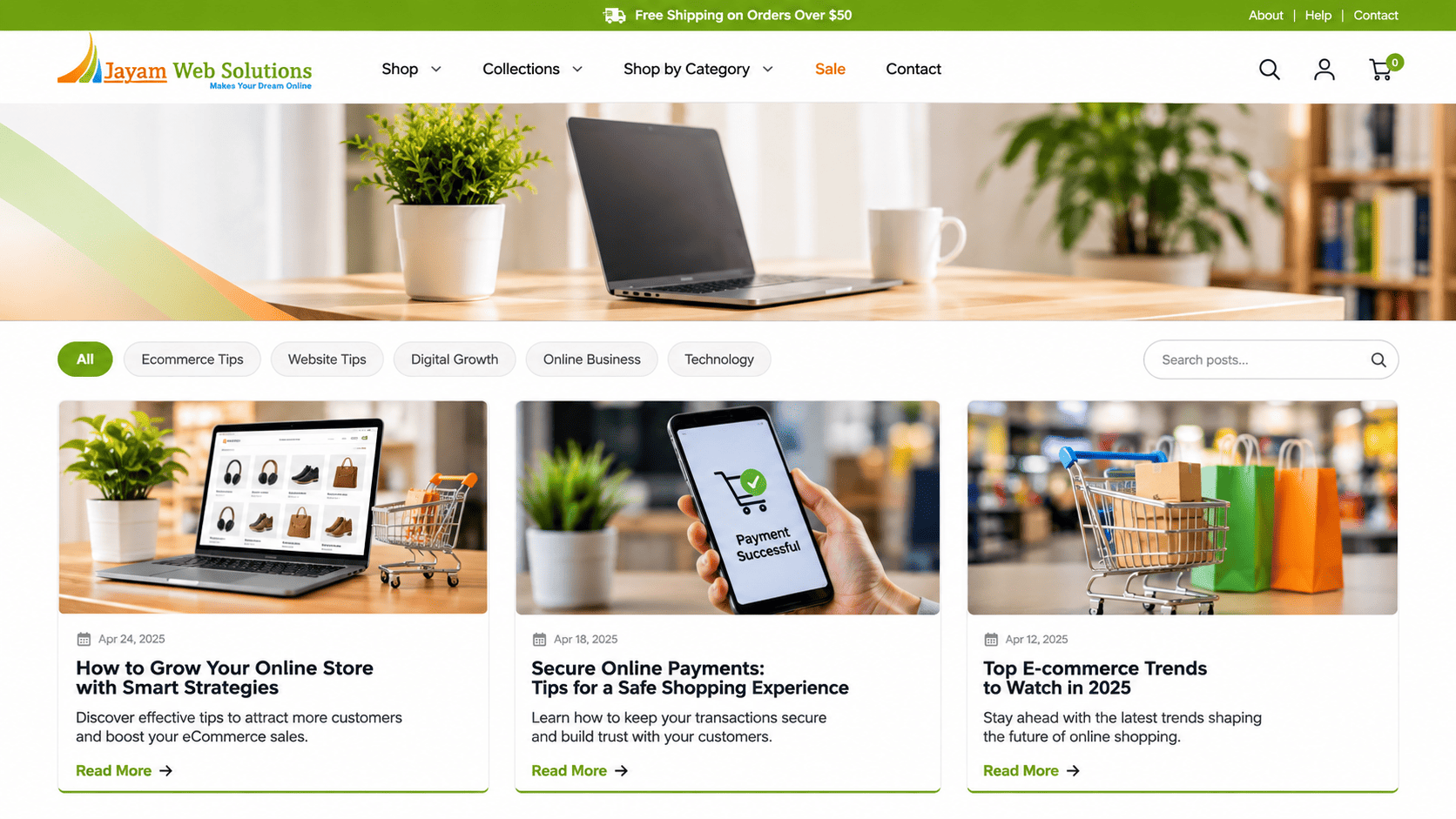
How to Create an E-commerce Website for Your Business
Selling products through the internet allows businesses to reach customers beyond their immediate geographical area. Instead of depending only on a physical shop or sales representatives, companies can present their products online and accept orders through their own website.
An e-commerce website provides a dedicated place where customers can explore products, check prices, view product details and complete purchases. Business owners can also manage product information, customer orders, payments and delivery activities through an administrative system.
However, setting up an online store involves more than displaying product photographs and adding a payment button. The website needs a properly planned product structure, shopping process, payment facility and order management system.
If you are planning to sell products online, this guide explains the important steps involved in creating an e-commerce website for your business.
1. Identify What You Want to Sell Online
Before starting development, decide which products you want to offer through your website.
The product range influences the website structure, category arrangement, product information and purchasing process.
For example:
- A clothing business may need size, colour and fabric selections.
- An electronics seller may need technical specifications and warranty details.
- A grocery business may require product weights, quantities and delivery options.
- A furniture company may need dimensions, materials and customisation details.
- A wholesale distributor may require bulk quantities and enquiry-based pricing.
Prepare a list of your products and identify the information customers need before placing an order.
For each product, consider:
- Product name
- Product description
- Product photographs
- Price
- Available quantity
- Product category
- Product specifications
- Available variations
- Delivery information
This information will help the development team plan the product pages and database structure.
2. Decide the Type of E-commerce Website You Need
Not every online store follows the same business model. The website should support the way you intend to sell your products.
A. Business-to-Consumer (B2C) Website
A B2C website allows a business to sell products directly to individual customers.
Examples include clothing stores, electronics shops, grocery stores and home product retailers.
Typical features include:
- Product categories
- Product listings
- Shopping cart
- Customer registration
- Online payment
- Order tracking
B. Business-to-Business (B2B) Website
A B2B e-commerce website is designed for transactions between businesses.
For example, a manufacturer may sell products to distributors, dealers or wholesale buyers.
It may require:
- Business customer registration
- Dealer login
- Bulk order quantities
- Customer-specific pricing
- Product enquiry facilities
- Quotation requests
- Credit or payment terms
- Order history
C. Wholesale E-commerce Website
A wholesale website supports businesses selling products in larger quantities.
It may include minimum order quantities, bulk pricing, carton-based ordering and special rates for registered customers.
D. Multi-Vendor Marketplace
A multi-vendor platform allows different sellers to register and offer their products through one website.
In addition to customer-facing shopping features, it needs vendor dashboards, seller product management, commission settings and marketplace administration.
The required business model should be decided before development because each model involves different functionality.
3. Plan the Main Pages of Your E-commerce Website
A well-organised online store helps customers move from product discovery to checkout.
The following pages are commonly required.
|
Page |
Purpose |
|
Home |
Introduces the store and highlights products |
|
About Us |
Provides information about the business |
|
Product Categories |
Groups products by type |
|
Product Listing |
Displays products within a category |
|
Product Details |
Shows images, prices and specifications |
|
Shopping Cart |
Displays selected products and quantities |
|
Checkout |
Collects delivery and payment information |
|
My Account |
Allows customers to manage their account |
|
Order History |
Displays previous purchases |
|
Contact Us |
Provides business contact information |
|
Privacy Policy |
Explains how customer information is handled |
|
Terms and Conditions |
Defines website and purchasing terms |
|
Shipping and Returns |
Explains delivery, exchange and return conditions |
The exact page structure depends on the product range and selling process.
For example, a wholesale website may need a separate bulk-order page, while a regular retail store may focus more on product categories and promotional sections.
4. Choose the Right Technology for E-commerce Development
The technology used for an online store should support its expected functionality and future requirements.
Different development approaches are available, and the suitable option depends on the project's complexity.
Custom E-commerce Development
A custom-built e-commerce website is developed according to the business's specific requirements.
It can be suitable when the business needs:
- Special pricing rules
- Custom order workflows
- Dealer or distributor access
- Advanced inventory handling
- Multiple administrative roles
- External software integrations
- Special reporting facilities
Technologies such as React, Next.js, Node.js, Laravel, PHP and database systems such as MongoDB or MySQL can be used depending on the application architecture.
Ready-Made E-commerce Platforms
Ready-made platforms provide existing e-commerce functions that can be configured for an online store.
They may reduce the initial setup effort for businesses whose requirements fit the platform's available features.
However, businesses should examine platform charges, customisation limits, third-party dependencies, transaction fees and long-term operating costs before choosing this approach.
How to Select the Technology
Consider these questions:
- How many products will the store contain?
- Will customers need individual accounts?
- Are different price levels required?
- Does the business need bulk ordering?
- Will the website connect with external systems?
- How many orders are expected?
- What features may be introduced later?
The development approach should be selected after reviewing these requirements rather than choosing technology only because it is currently popular.
5. Design an Easy-to-Use Product Catalogue
The product catalogue is one of the most important sections of an online store.
Customers should be able to understand what is available and locate the products they want without unnecessary steps.
A useful catalogue should include:
Product Categories
Group similar products under suitable headings. For example, a home appliances store may have separate sections for kitchen appliances, televisions, washing machines and air conditioners.
Product Images
Use clear photographs that show the actual product. Multiple images can help customers examine different angles and details.
Product Descriptions
Provide useful information about the product, including its purpose, material, size, specifications and other relevant details.
Product Variations
Some products are available in different sizes, colours, weights or models. Customers should be able to select the required option.
Product Availability
Display whether an item is available, temporarily unavailable or out of stock.
Search and Filters
Allow customers to find products using search terms and relevant filters such as category, price, brand or size.
A properly organised catalogue makes the shopping process more convenient and helps customers make informed purchasing decisions.
6. Develop the Shopping Cart and Checkout Process
After selecting products, customers need a convenient way to review their selections and complete the purchase.
The shopping cart should display:
- Selected products
- Product images
- Quantity
- Unit price
- Subtotal
- Applicable delivery charges
- Discounts, if available
- Final payable amount
- Customers should be able to change quantities or remove products before proceeding.
The checkout page should collect the necessary information, such as:
- Customer name
- Mobile number
- Email address
- Delivery address
- Billing address, where required
- Delivery preference
- Payment method
Avoid asking customers for unnecessary information. A straightforward checkout process can reduce confusion during ordering.
For businesses selling to registered dealers, the checkout process may also need to support business addresses, tax information and special payment terms.
7. Integrate Suitable Payment Methods
An online store needs a payment arrangement that supports the business's selling model.
Depending on the target customers and business requirements, payment options may include:
- UPI
- Debit cards
- Credit cards
- Net banking
- Supported digital wallets
- Cash on delivery, where suitable
- Bank transfer for selected business transactions
Payment gateways can connect the website with supported payment services.
During integration, the development team should consider:
- Payment initiation
- Successful payment confirmation
- Failed transactions
- Payment status updates
- Order creation
- Refund handling
- Transaction records
The website should not treat an order as successfully paid merely because a customer returns to the website after attempting payment. The payment result should be verified through the gateway's supported confirmation mechanism.
Payment gateway charges, account approval and settlement terms are generally determined by the payment provider. These should be checked separately from the website development quotation.
8. Set Up Order and Inventory Management
After customers place orders, the business needs a system to process them.
An administrative dashboard can help the team view incoming orders and update their progress.
Common order statuses include:
- New Order
- Confirmed
- Processing
- Packed
- Shipped
- Delivered
- Cancelled
- Returned
The exact status flow should match the company's operations.
Inventory Management
Inventory management helps the business monitor product availability.
Useful functions include:
- Adding new products
- Updating available quantities
- Reducing stock after confirmed orders
- Recording stock adjustments
- Identifying low-stock products
- Managing unavailable items
For businesses with several warehouses or physical outlets, stock management may need additional location-based features.
A well-planned inventory system can reduce mistakes caused by outdated product availability information.
9. Configure Shipping and Delivery Options
Delivery arrangements should be considered before the online store is launched.
The website may need different shipping rules depending on the product type, delivery location and order value.
Possible delivery options include:
- Standard delivery
- Express delivery
- Local delivery
- Store pickup
- Free delivery above a specified order value
- Delivery charges based on location or weight
If the business uses an external courier provider, the website may also need integration with its shipping service.
Depending on the integration, the system may support:
- Shipment creation
- Tracking number updates
- Delivery status
- Shipping charge calculation
- Delivery notifications
For products that require special handling, such as fragile goods or temperature-sensitive items, the delivery process may need additional arrangements.
10. Include Customer Account and Order Tracking Features
Customer accounts make it easier for buyers to access their previous purchases and manage their information.
A customer dashboard may include:
- Profile information
- Saved addresses
- Previous orders
- Current order status
- Payment details
- Return or cancellation requests
- Password management
Order tracking can help customers understand the progress of their purchases.
Depending on the delivery arrangement, tracking information may be updated manually by the store administrator or received through a courier integration.
For businesses that do not want to require registration, guest checkout can also be considered.
The decision should be based on the purchasing habits of the target customers.
11. Make the E-commerce Website Mobile-Friendly
Many customers browse and purchase products using mobile phones.
An online store should therefore be designed to work properly across mobile phones, tablets and desktop computers.
Check these areas:
- Product images should fit the available screen width.
- Product descriptions should remain readable.
- Navigation should be convenient on smaller screens.
- Buttons should be easy to select.
- Forms should be simple to complete.
- Cart and checkout pages should display properly.
- Important product information should remain accessible.
Do not evaluate mobile responsiveness only by checking whether the homepage fits the screen.
Product listing, product details, account pages and checkout should also be tested on different screen sizes.
12. Prepare the Website for Search Engines
Search engine visibility can help customers discover products through relevant searches.
Technical SEO should be considered while building the e-commerce website.
Important areas include:
Unique Page Titles
Product and category pages should have meaningful titles that describe their content.
Meta Descriptions
Write descriptions that explain what visitors can find on the page.
Search-Friendly URLs
Use clear URLs that reflect the product or category structure.
Product Information
Provide original descriptions and useful specifications rather than copying identical text across multiple products.
Image Alternative Text
Use descriptive alternative text for meaningful product images.
XML Sitemap
Create a sitemap containing the pages that should be available for search engine discovery.
Structured Data
Where appropriate, implement supported structured data that accurately reflects visible product information and other page content.
Internal Links
Connect related categories and products so that visitors and search engines can discover relevant pages.
SEO improvements do not guarantee particular search positions. Product relevance, competition, content quality, website performance and other factors also influence visibility.
13. Protect Customer Information and Website Transactions
An e-commerce website handles customer information, addresses, order records and payment-related activities. Security should therefore be considered from the planning stage.
Important measures include:
- HTTPS configuration
- Secure administrator login
- Appropriate user permissions
- Strong password practices
- Input validation
- Secure handling of customer information
- Regular backup arrangements
- Software and dependency updates
- Monitoring for unusual activity
Payment card information should be handled through an appropriate payment provider and its supported integration rather than stored unnecessarily on the website.
The business should also publish suitable privacy, terms, shipping and return information based on its operations and applicable requirements.
Security is an ongoing responsibility. A one-time development check does not remove the need for continued maintenance.
14. Test the Complete Online Shopping Process Before Launch
Before making the store available to customers, test the complete purchasing journey.
Do not limit testing to the homepage and product display.
Check the following:
- Product categories open correctly.
- Product information is displayed accurately.
- Search and filters return suitable results.
- Product variations can be selected.
- Cart quantities can be changed.
- Checkout fields work properly.
- Payment success and failure responses are handled.
- Orders appear in the admin panel.
- Stock information is updated correctly.
- Customer notifications are sent where configured.
- Delivery information is recorded.
- The website works across different screen sizes.
Also test exceptional situations, such as unavailable products, incorrect form entries, failed payments and cancelled orders.
These checks help identify problems before real customers begin using the store.
15. Launch the E-commerce Website and Monitor Its Performance
Once development and testing are complete, the website can be deployed on the selected hosting environment and connected to its domain.
However, the work does not end with publication.
After launch, the business should monitor:
- Website availability
- Product information
- Order processing
- Payment status
- Customer enquiries
- Delivery updates
- Website loading performance
- Search engine indexing
- Customer feedback
Reviewing these areas helps identify operational problems and opportunities for improvement.
As the product range and order volume grow, the website may also require new features or changes to its existing processes.
16. Common Mistakes to Avoid When Creating an E-commerce Website
Uploading Products Without Sufficient Information
Customers need clear descriptions, images, prices and specifications to understand what they are buying.
Making the Checkout Process Complicated
Unnecessary fields and confusing steps can make customers leave before completing an order.
Ignoring Mobile Users
A store that works only on desktop computers creates difficulties for customers using mobile devices.
Not Planning Inventory Management
Outdated stock information can result in orders for unavailable products.
Offering Payment Options Without Testing
Every enabled payment method should be tested for successful transactions, failures and order status updates.
Forgetting Delivery and Return Information
Customers should be able to understand delivery charges, estimated timelines and applicable return conditions before purchasing.
Ignoring Post-Launch Maintenance
Product updates, security checks, backup arrangements and technical support remain important after the website goes live.
17. E-commerce Website Development Checklist
Use this checklist while planning your online store.
-
Identify the products and target customers.
- Select the B2C, B2B, wholesale or marketplace model.
- Prepare the product category structure.
- Decide the pages required.
- Finalise product details and images.
- Select the development technology.
- Plan the shopping cart and checkout.
- Choose suitable payment methods.
- Define order management requirements.
- Plan inventory and stock handling.
- Decide shipping and delivery arrangements.
- Include customer accounts or guest checkout.
- Plan mobile-responsive layouts.
- Configure technical SEO elements.
- Review security and backup arrangements.
- Test the complete purchasing process.
- Finalise hosting and domain arrangements.
- Plan post-launch support.
Frequently Asked Questions (FAQs)
1. How do I create an e-commerce website for my business?
Start by identifying the products you want to sell and the customers you want to reach. Decide the website model, prepare product information, select the required features and choose a suitable development approach. The website can then be designed, developed, tested and launched.
2. What features are required for an e-commerce website?
Common features include product categories, product details, shopping cart, checkout, payment integration, customer accounts, order management, inventory handling and delivery information. Additional features depend on the business model.
3. Can I create an e-commerce website for wholesale products?
Yes. A wholesale website can include dealer registration, bulk ordering, minimum quantities, customer-specific pricing, quotation requests and business account management.
4. Is a payment gateway necessary for an e-commerce website?
A payment gateway is required if you want to accept supported online payments through the website. Businesses can also provide other payment arrangements, such as bank transfer or cash on delivery, depending on their operations.
5. Can customers track their orders through the website?
Yes. Order tracking can be provided through customer accounts or a tracking page. The tracking information can be updated by the administrator or connected to a courier service, depending on the system.
6. Can I manage products without contacting the developer?
Yes, if the website includes an administrative panel with product management features. The authorised administrator can add products, change prices, update images and manage availability.
7. Is a mobile-friendly design important for an online store?
Yes. Customers should be able to browse products, add items to the cart and complete purchases using mobile phones as well as desktop computers.
8. Can an e-commerce website be expanded later?
Yes. New categories, products, payment options, delivery services and administrative features can be added based on the website's architecture and the business requirements.
9. Does an e-commerce website need SEO?
SEO can help product and category pages become discoverable through relevant search queries. Technical SEO, useful product information, suitable page structure and ongoing optimisation all contribute to search visibility.
10. How much does it cost to develop an e-commerce website in India?
The cost depends on the number of products, design requirements, payment and shipping integrations, inventory features and custom functionality. A detailed estimate should be prepared after reviewing the project scope.
Conclusion
Creating an e-commerce website involves planning the entire online selling process, not just designing product pages.
The website should help customers find products, understand their details, place orders and receive the products through a clearly defined process. At the same time, the business needs suitable facilities to manage products, stock, payments and customer orders.
Before beginning development, identify your business model and list the functions required for daily operations. This will help the development team plan an online store that matches your requirements.
A properly developed e-commerce website can become an important sales channel and provide a foundation for expanding your business online.
Looking for E-commerce Website Development Services?
Jayam Web Solutions provides e-commerce website development and customised web application development services for businesses.
Our services include:
- Custom e-commerce website development
- Product catalogue and category management
- Shopping cart and checkout development
- Payment gateway integration
- Order and inventory management
- Customer account management
- B2B and wholesale e-commerce solutions
- Responsive website design
- Domain registration and web hosting
We discuss your product range, selling process and operational requirements before planning the website features.
View Our Projects - custom website
Jayam Web Solutions – Makes Your Dream Online
Website: https://www.jayamwebsolutions.com
Contact us to discuss your e-commerce website requirements.